Winter Field Day This Weekend!

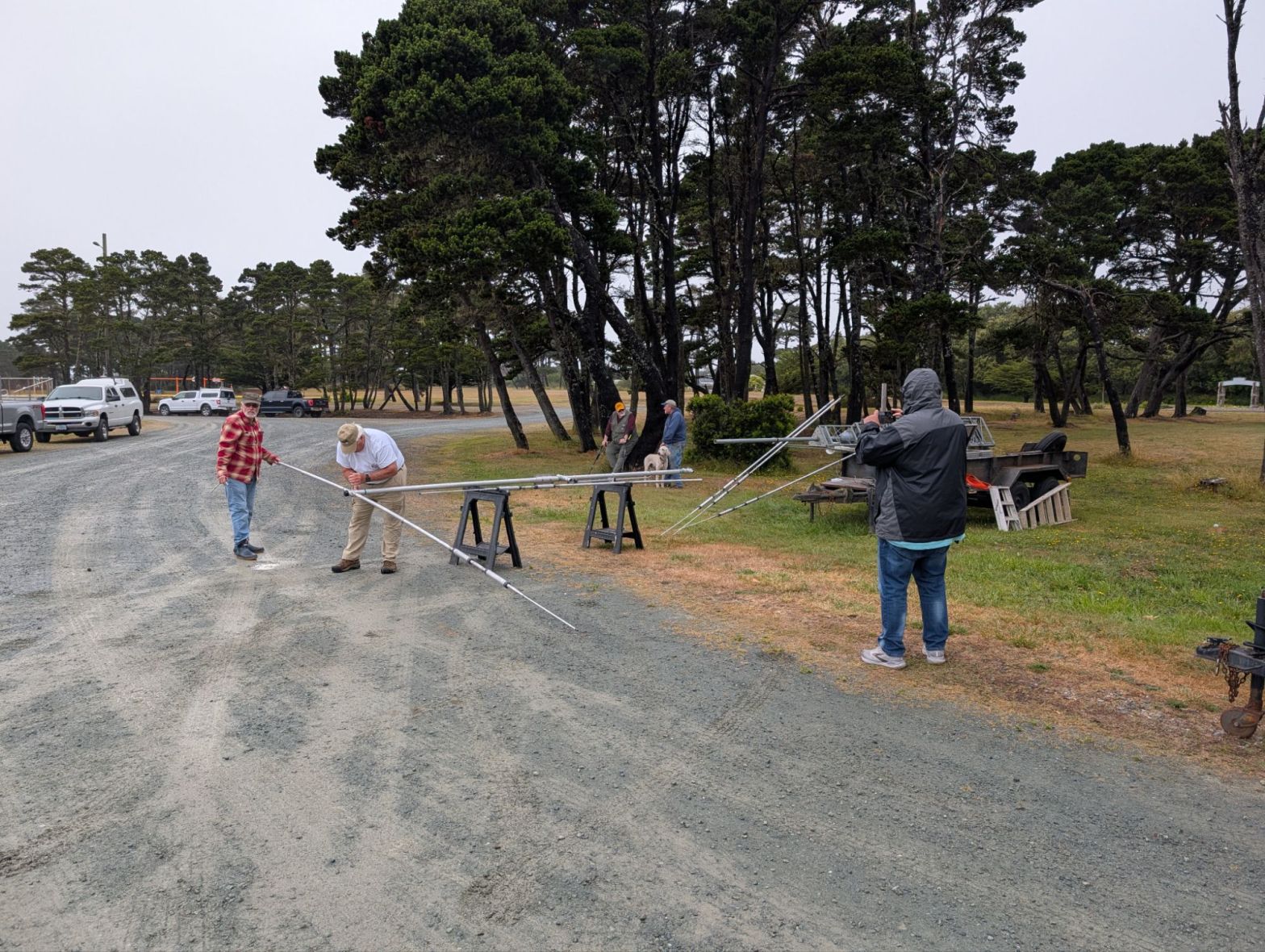
The weather is looking good, and the club will be set up at Powers High School beginning at 8am on Saturday, January 24th and continuing through midday Sunday the 25th. Everyone is welcome and encouraged to come out and play on the radio with us. You do not need a General Class or higher license to play on the Ham Bands with us this weekend, as we will be using the club callsign K7CCH, and have control operators sitting with you. This is a great opportunity to get out in the field and get on the air.
We look forward to seeing you or hearing you on the airwaves!
73

Bruised Ionosphere

Conditions should improve by late tomorrow.

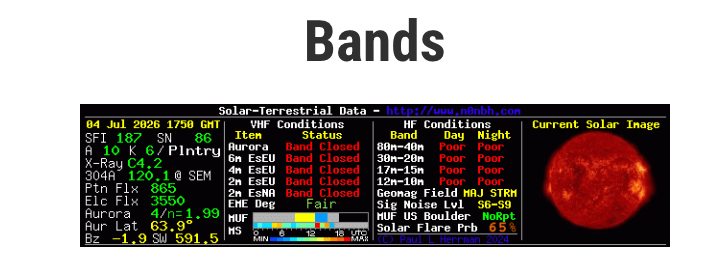
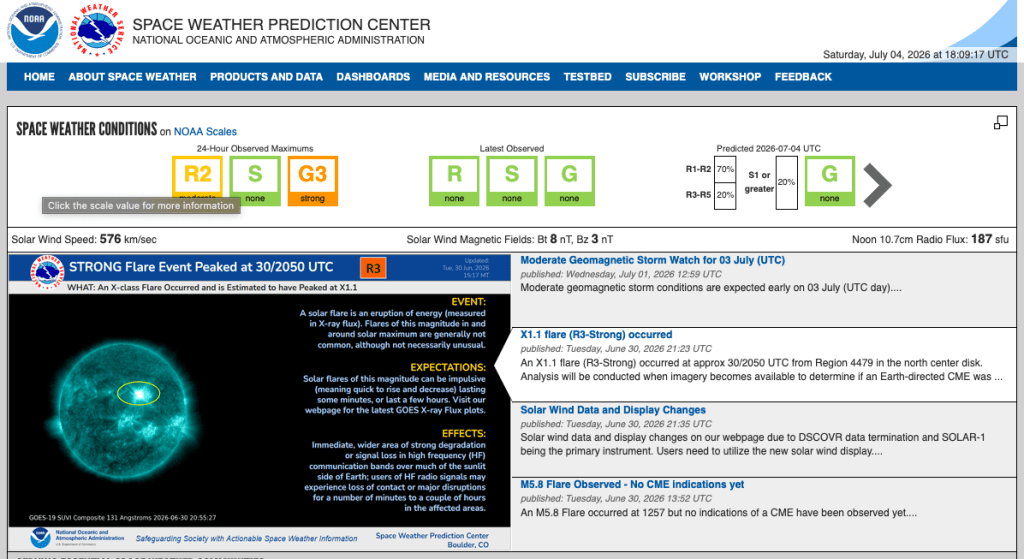
We are experiencing the impact of a major solar event that began on January 19, 2026.

While solar flux is high (generally good for DX), the atmosphere is extremely “noisy” and unstable due to a direct hit from a fast-moving Coronal Mass Ejection (CME).

Impact on Ham Radio Operations

HF Bands (160m – 10m): Poor to Blackout

The G4 Geomagnetic Storm is a problem. When the K-index hits 8, the ionosphere becomes “bruised.”

  • Signal Fading: Expect rapid, deep fading (QSB) and a “watery” or fluttery sound on signals.
  • Absorption: The D-region of the ionosphere is highly charged, meaning many HF signals are being absorbed rather than refracted back to Earth.
  • Polar Paths: If you are trying to work DX over the poles (e.g., North America to Central Asia), expect a total blackout due to the S4 Solar Radiation Storm currently in progress.7

Opportunities

While HF suffers, VHF enthusiasts should stay alert:

  • Aurora Propagation: With a G4 storm, the “Auroral Oval” has pushed very far south (into the mid-latitudes of the US and Europe).8
  • VHF DX: Operators on 6 meters and 2 meters may be able to bounce signals off the aurora. Point your beams North to look for “auroral buzz” on CW or SSB signals.

Noise Floors

Expect a significantly higher noise floor across all bands. The “static” you hear isn’t just local interference; it’s the Earth’s magnetic field literally ringing from the solar wind impact.


Forecast

The storm is reportedly beginning to subside, but “reverberations” will continue through the day. Conditions should improve significantly by late tomorrow.

Low Cost Satellite Internet

A look at disaster-proof internet access alternatives or…

Standby satellite service for $5/month?
The Cascadia Subduction Zone is a 700-mile fault that runs from northern California up to British Columbia and is about 70-100 miles off the Pacific coast shoreline.

The Cascadia Earthquake mega disaster will disrupt broad areas of the Oregon coast for weeks at least and perhaps many months. Nobody knows when, only that it may happen soon.

For preparedness purposes, imagine operating from an isolated location with no internet service or cellular coverage. Amateur Radio is one fall-back. Another radio communications solution is satellite internet access. There are several to compare, one that’s genuinely affordable.


Starlink’s official Service Plans page promotes “personal” accounts for $50 to $165 per month and “business” accounts for $65 to $2,150 per month.

Starlink service plans
Source: Starlink Service Plans page

Starlink, a division of SpaceX, which has more than 9,000 orbiting satellites. The company has 8 million Internet-access subscribers in 150 countries.

Illustration of Starlink satellite positions in space

Figure 2. Starlink currently operates over 9,000 satellites that provide Internet access to much of the world’s population. In this illustration, each dot is an orbiting spacecraft. In low-Earth orbits, they are in constant motion relative to the surface.Source: satellitemap-dot-space Starlink animation
Starlink changed it’s no cost “Pause” mode into a $5/month service in the second half of 2025 calling it “Standby.”

**Starlink Standby mode is available only on “Personal” service plans.

  • Standby service permanently replaces Starlink’s “pause” feature. Until late 2025, users of the company’s personal plans were able to pause their satellite service for free. Such users paid nothing — $0/month — during periods when they needed no service.
  • $5/month supplies 500Kbps (kilobits per second). Which is sufficient to keep your computer or smartphone online with email, VoIP (voice over Internet Protocol), texting, and most Web surfing.

Starlink “Standy by mode” is an affordable “emergency backup system” providing email, VoIP, texting, and Web access.

For instance, in a countywide electricity outage, subscribers would still have Internet access via satellite as long as power on site had sufficient battery life to run the gear.

How to get $5 satellite service working…

Some expense is required to get the equipment for Starlink service. The primary cost is for the satellite antenna.

Starlink Mini satellite dish
The Mini is the smallest satellite antenna (dish) Starlink offers. Larger versions offer greater speeds and are intended for business or enterprise use.Source: Starlink Roam page


  • The Starlink Mini is the smallest satellite dish available. At about 10 by 12 inches and only 1.5 inches thick, it fits into a backpack. It’s designed for the Roam and Roam Unlimited plans, which work in any of the 150 countries Starlink serves. The Mini also supports use in motion, as in a recreational vehicle.
    • The Mini is designed for the Roam or Roam Unlimited plans. A Roam account ($50/month) is limited to 100Mbps downstream speeds and 50GB of data per month, but you can purchase additional gigabytes. A Roam Unlimited account ($165/month) can support up to 400 Mbps downstream speeds and has no data cap. You can also pay for Ocean Mode, which allows operation farther than 12 nautical miles away from your country’s shoreline.
  • The Starlink Standard Kit is intended for fixed use at a registered service address. The dish is larger than the Mini at about 23 by 15 by 1.5 inches. It’s designed for Starlink’s Residential ($120/month) or Residential Lite ($80/month) accounts. Both plans support up to 400Mbps downstream speeds, but Residential Lite customers will receive slower downloads when the service is busy. The Standard Kit includes a Gen 3 Wi-Fi router and requires AC input with a supplied power adapter.
  • Business customers buy Local Priority or Global Priority plans, which operate in a single country or multiple countries, respectively, at higher prices than the consumer plans.
  • Standby Mode ($5/month for 500 Kbps) is available under any Roam, Residential, or Priority plan. Business customers can pause their accounts, receiving no service and paying no monthly fee.
How to get Starlink’s $5/month Standby Mode

If you manage to get through all of the above, and your new Starlink satellite dish is in hand, the steps to activate Standby Mode are as follows:

  • At the Starlink website or mobile app, activate your satellite dish.
  • Sign up for a full-service plan, such as the Roam plan. You will be charged $50 for the first month of service. That makes the first year actually cost an average of $8.75 per month. (It’s $50 for the first month plus $5 x 11 months.)
  • Log into your account and navigate to “Subscriptions” in the main menu.
  • Choose “Standby Mode” from the list of options and confirm your selection.

The details in a Starlink FAQ titled “How does pausing service work?”

If you switch to Standby Mode on a Residential account, there’s no guarantee that you can switch back to a higher-speed Residential service if Starlink hits capacity in your area. By contrast, Roam and Priority plans that you switch to Standby Mode can activate a faster mode, regardless of capacity. And activating a higher-paid plan from Standby Mode avoids any demand surcharge.

The $50/month Roam account placed in Standby mode could be a huge advantage in a disaster.

In Standby Mode with only 500Kbps downstream speeds, you’ll never be able to stream high-definition videos or hold group Zoom meetings. But if you just need basic email, VoIP, text, and Web surfing, Standby Mode may be the biggest Internet-access bargain you’ll ever find.

What alternatives to Starlink are available?

At the moment, there are other satellite-based Internet access providers. But they may not yet be widely available or happen to be much more expensive than Starlink:

  • Amazon Leo (formerly Project Kuiper). The e-tail giant has launched into low-Earth orbit more than 150 of a planned 3,200 satellites that will compete with Starlink. Amazon plans to begin service in 2026 in five countries: the US, Canada, the UK, France, and Germany. As many as 26 countries may be served by 2027. The monthly fee is expected to cost around $83 per month. But no one can enroll yet. See Amazon’s November 13, 2025, announcement.
  • OneWeb. This subsidiary of Eutelsat, a French satellite operator, has launched 634 satellites — also in low-Earth orbit — but aims to serve primarily business and governmental customers, not consumers. OneWeb’s plans range in cost from $395 to $39,500 monthly. See the Eutelsat website.
  • Hughesnet. This is the satellite Internet provider with the longest record, the company having been established 50 years ago. Unfortunately, all of Hughesnet’s satellites are in high, geostationary orbits. That means a latency (delay) of 0.6 to 0.7 second is required for signals to travel from the Earth to the spacecraft and back. (Starlink’s low-Earth orbit enables a round trip to consume only 0.02 to 0.04 second.) Monthly fees range from $40 to $120, with data caps of 100 to 200 GB, per month. See Hughesnet’s plans and pricing page.
  • Viasat. Hughesnet competitor. Its consumer plans range from $70 to $300 per month. But its satellites, too, are in high, geostationary orbits. So its service suffers from the same relatively long delays as Hughesnet’s offerings. See Viasat’s plans page.

Portions of this text and photos adapted from or excerpted from an article by Brian Livingston in Ask Woody.


PS — I ordered a Mini system today, and plan to give it a whirl at Winter Field Day if it arrives in time. …dgg.

POTA hunters needed.

Starting at 4pm local time Saturday Jan 10 John KK6GUK and my self will be attempting a 24 hour 30 park activation.
We will be starting in Reedsport and working our way south down into Curry County.
We will post parks and frequencies as we move from park to park on the clubs FB messenger group and by email as we have time.
For those of you who do not have hf and want to help us get our activations, especially on Saturday night, we will be calling cq on 146.52 simplex occasionally. We will resort to UHF 446.000 as well if it gets hard to get the required 10 contacts per park.
We will be monitoring the SWORA linked VHF repeater system as well.
The best way to follow us is by using the HamAlert app on your smartphone using my call N6BLU or John’s call KK6GUK as triggers or on the Parks on the Air website.
This will be a fast paced attempt and band conditions may not be ideal due to some solar activity so if you have some time to try and hunt us.
We plan on starting on 20 meters and moving to 40 meters in the evening but will try other bands like 15 or 17 meters if 20 meters isn’t cooperating. If 10 meters is open on Sunday we’ll try that too at some point.
Hope to hear you on the air.
Gary N6BLU

Sent from my Verizon, Samsung Galaxy smartphone

CCRC Club Meeting

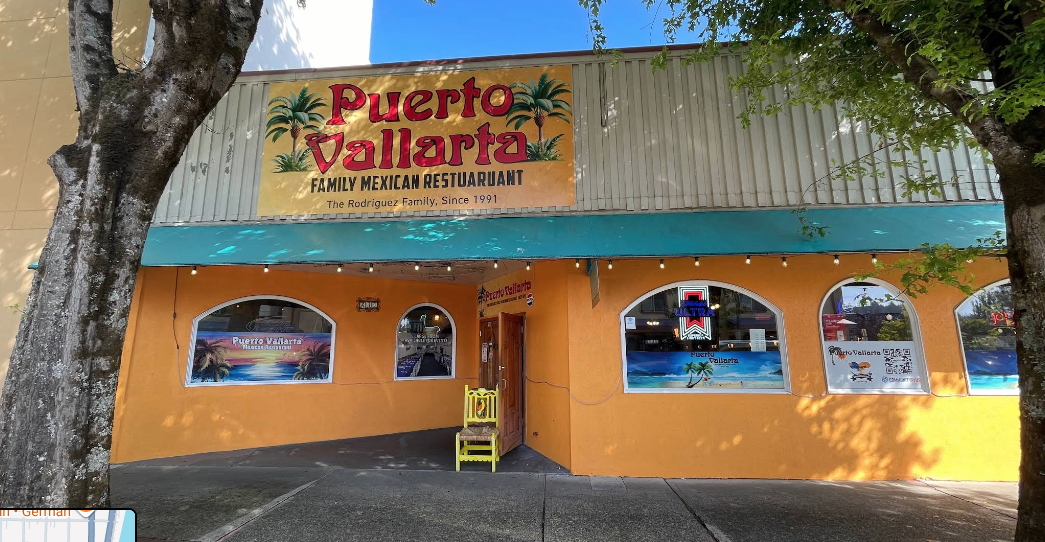
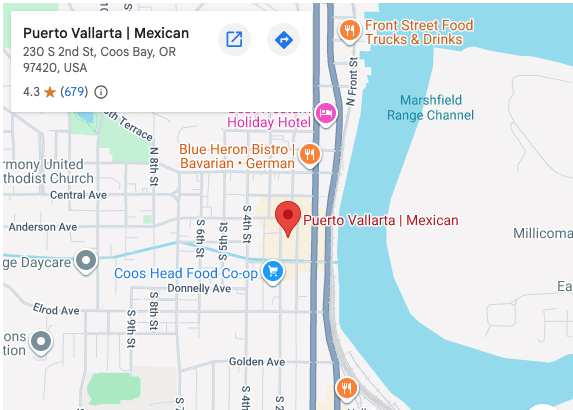
Club Meeting tonight 5PM for Dinner and meeting start at 6PM. Puerto Vallarta Restaurant 230 S 2nd St. Coos bay. Zoom info below.
Gary

Zoom Invite N6BLU Gary McElroy is inviting you to a scheduled Zoom meeting.

Topic: Coos County Radio Club Zoom Meeting
Time: Jan 8, 2026 06:00 PM Pacific Time (US and Canada)
Every month on the Second Thu, 2 occurrence(s)
Please download and import the following iCalendar (.ics) files to your calendar system.
Monthly: https://us06web.zoom.us/meeting/tZYvdeuvqD0jHNDgpIJm9m4Z4ucUbaGkcirJ/ics?icsToken=DGT9qmC-4b8GakrOGAAALAAAAHqF_206aZwBnM_5BVxxhB46v4qxAmxkxBfN9m3kWap7HiJBPYgr8VDFuTgiDpe83YfDiq3_8GlBktV8BTAwMDAwMQ&meetingMasterEventId=NCNMs9uMTkuU_wWrDAnQcA
Join Zoom Meeting
https://us06web.zoom.us/j/82222766964?pwd=YNRkgsF6pwBjFVgJTWwPYSbo4rLvnp.1

Meeting ID: 822 2276 6964
Passcode: 653959

One tap mobile
+12532050468,,82222766964#,,,,*653959# US
+12532158782,,82222766964#,,,,*653959# US (Tacoma)

Join instructions
https://us06web.zoom.us/meetings/82222766964/invitations?signature=GF5av2aQPSO-bHj0ovpcD89YybD74YCFiB2R4iB-cdU

Winter Field Day 2026

Winter Field Day

January 24-25, 2026 Powers High School Pavilion 

Interested in Amateur Radio? Concerned about Emergency Communications in general?Would you like to learn about specific aspects of Ham Radio such as licensing? Winter Field Day is a great way to connect with the Coos County Radio Club.

Everyone Welcome!

The Winter Field Day Association (https://winterfieldday.org) promotes portable emergency communications in winter environments because freezing temperatures, snow, ice, and other hazards make operating ham radio gear difficult.

Coos County Radio Club, in conjunction with the Coos County Amateur Radio Emergency Service (ARES) will gather for WFD operations at the the Powers High School, a designated Red Cross shelter.

WFD activities help participants improve emergency preparedness by enhancing radio operational abilities in adverse conditions. Contacts between amateurs are made on the HF, VHF, or UHF bands by voice (SSB), CW, and digital modes.

Free Amateur Extra Class Starts January 15

If you or anyone you know is interested in attending an Amateur Extra Class licensing course, please pass along the following information, and feel free to publicize it with your radio club or any group you feel would benefit.
A free, weekly, live, Amateur Radio Extra Class Licensing course on Zoom will begin on Thursday, January 15, 2026, and will run through Thursday, March 26. There will be 11 sessions. The three-hour sessions will start at 6:30 PM Eastern Time and will also be recorded. These are the classes that we have been holding for years sponsored by the Amateur Radio Club of the National Electronics Museum.

Note: Attendees should hold (or be studying for) the General Class Amateur Radio License.

Please publicize this with anyone that you think would be interested. Those wishing to sign up should email roland.anders.

We have overlapping mailing lists, so if you received a duplicate of this message, thanx for your understanding.

Thanks.
73,
Rol Anders, K3RA